


TL41980
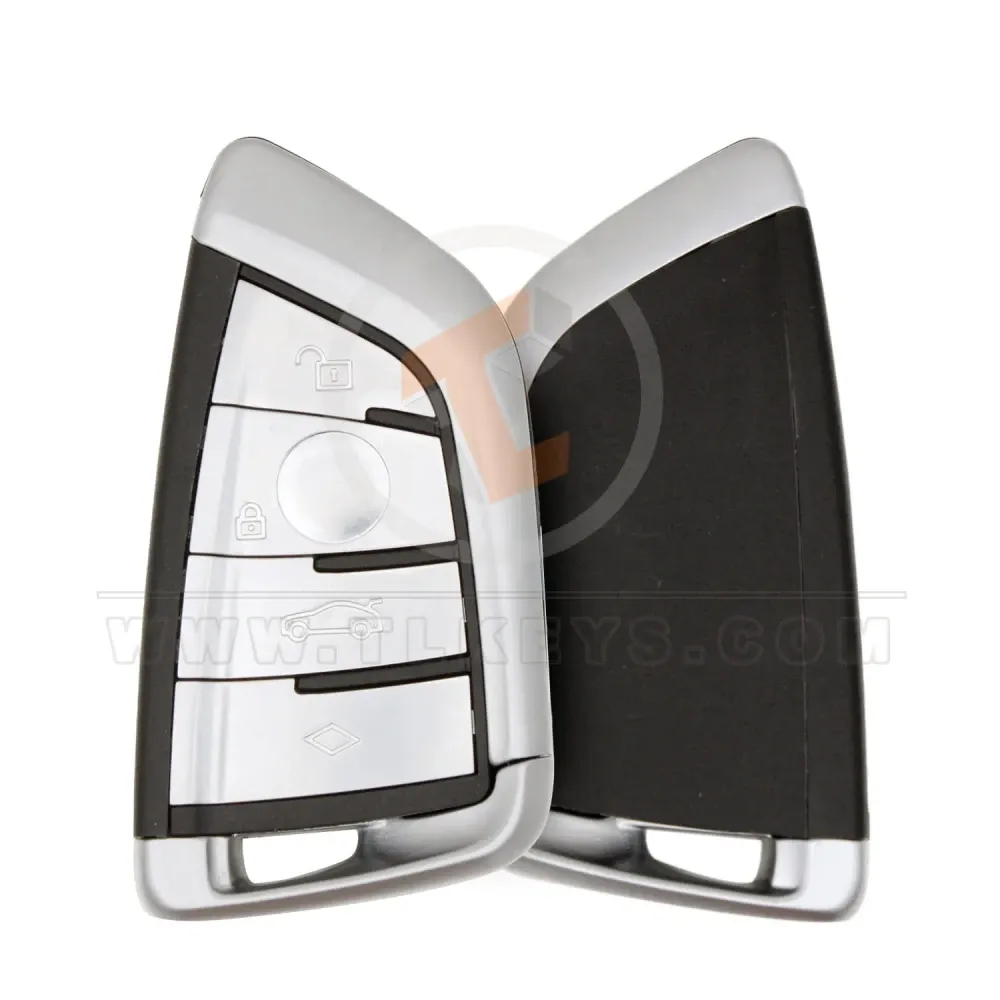
BMW F Series Smart Proximity Remote Key Shell 4 Buttons
Aftermarket Brand - Chrome
SKU: TL41980
Categories
Brands
$4.80
Min 1
Accessories
Specifications
| Panic Button | Yes |
|---|---|
| Emergency Key/blade | Included |
| Remote Shell Type | Smart Proximity Shell |
| Buttons | 4 |
| Status | Aftermarket Brand |
| Weight | 0.06 kg |
| Panic Button | Yes |
|---|---|
| Emergency Key/blade | Included |
| Remote Shell Type | Smart Proximity Shell |
| Buttons | 4 |
|---|---|
| Status | Aftermarket Brand |
| Weight | 0.06 kg |
BMW F Series Smart Proximity Remote Key Shell 4 Buttons
Refresh the upscale look and structural feel of your luxury vehicle key with this high-quality aftermarket smart proximity remote key shell built specifically for the BMW F Series. If your active remote casing is deeply scratched, cracked, or suffering from sticky button responses, this replacement outer housing serves as a reliable and cost-effective remedy. It allows you to entirely overhaul your key casing without purchasing a costly brand-new electronic assembly.
Product Specifications & Attributes
- Brand Status: Aftermarket Brand.
- Button Count: 4 functional buttons (Unlock, Lock, Trunk Release, and Panic/Multifunction).
- Panic Button: Yes.
- Emergency Key / Blade: Included.
- Remote Shell Type: Smart Proximity Shell.
- Color: Chrome.
- Product Weight: 0.06 KG.
Key Features
- Tailored for F Series: Molded to closely map the exact physical dimensions and styling of classic BMW F Series smart key designs.
- Polished Chrome Accents: Finished with stylish metallic side trim pieces to capture and hold the timeless luxury feel of your car's remote.
- Integrated Emergency Blade: Packs a crisp mechanical uncut replacement key insert to guarantee analog door access when required.
- Clean Structural Layout: Modeled with sharp internal tolerances to keep your repurposed circuit board snug, secure, and rattle-free.
Simple Installation Process
Upgrading your outer key shell takes only a few minutes and requires no technical expertise:
- Carefully separate your existing original smart remote shell casing.
- Gently slide out the internal electronic circuit board assembly, proximity transponder components, and battery.
- Place the functional electronics kit directly into the corresponding internal layout positions of the new shell structure.
- Align the front and back outer protective pieces and press them firmly together until they click completely shut, then secure your emergency key loop.
Note: This item is a replacement outer protective casing only. No internal electronic circuit boards, remote proximity chips, active batteries, or programming services are provided with this product.